Paid ads, Marketing automation2026
AI Google Ads Campaign Builder
Turns a one-line product brief into a ready-to-import Google Ads Search campaign — keyword themes, ad groups and RSAs written by AI, exported straight to Google Ads Editor.
~4h
saved per campaign
100%
within ad character limits
1-click
import to Google Ads
The starting problem
Building a Search campaign by hand is slow and error-prone: dozens of keywords to group, and Responsive Search Ads whose 15 headlines and 4 descriptions must each respect strict character limits — one overflow and the whole import is rejected.
The system in pictures
Screenshots of the system at work, step by step: what your customer sees, and what your team receives.
- 1.
The brief
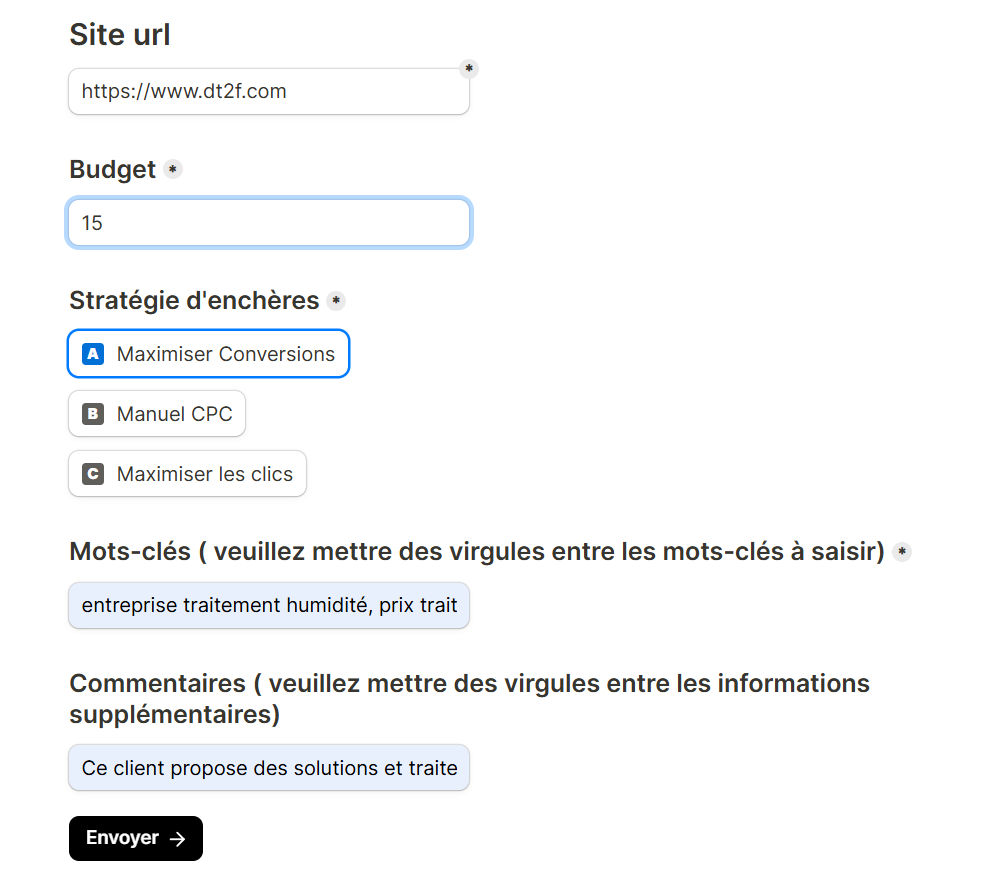
Website + keywords + a note: a single simple form.
- 2.
The AI agent
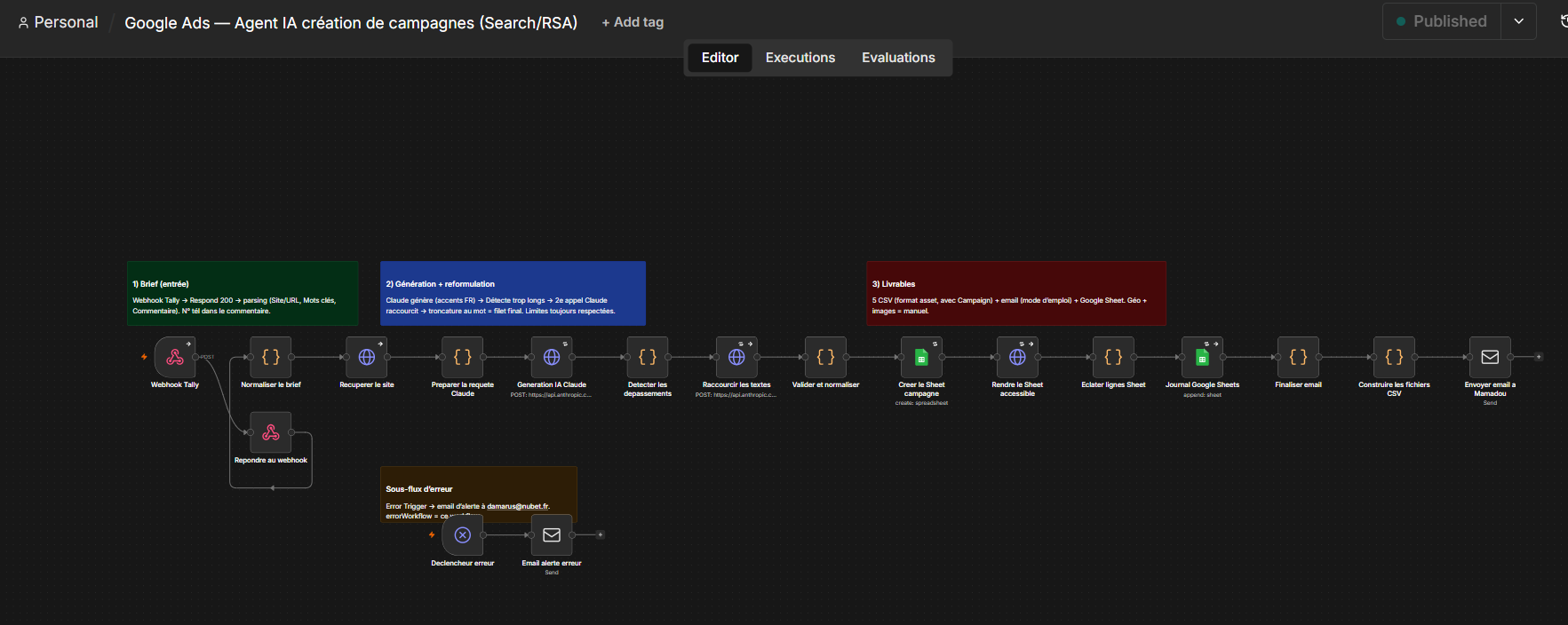
The AI generates keyword themes, ad groups and RSAs, validated against Google's character limits.
- 3.
The Google Ads CSV
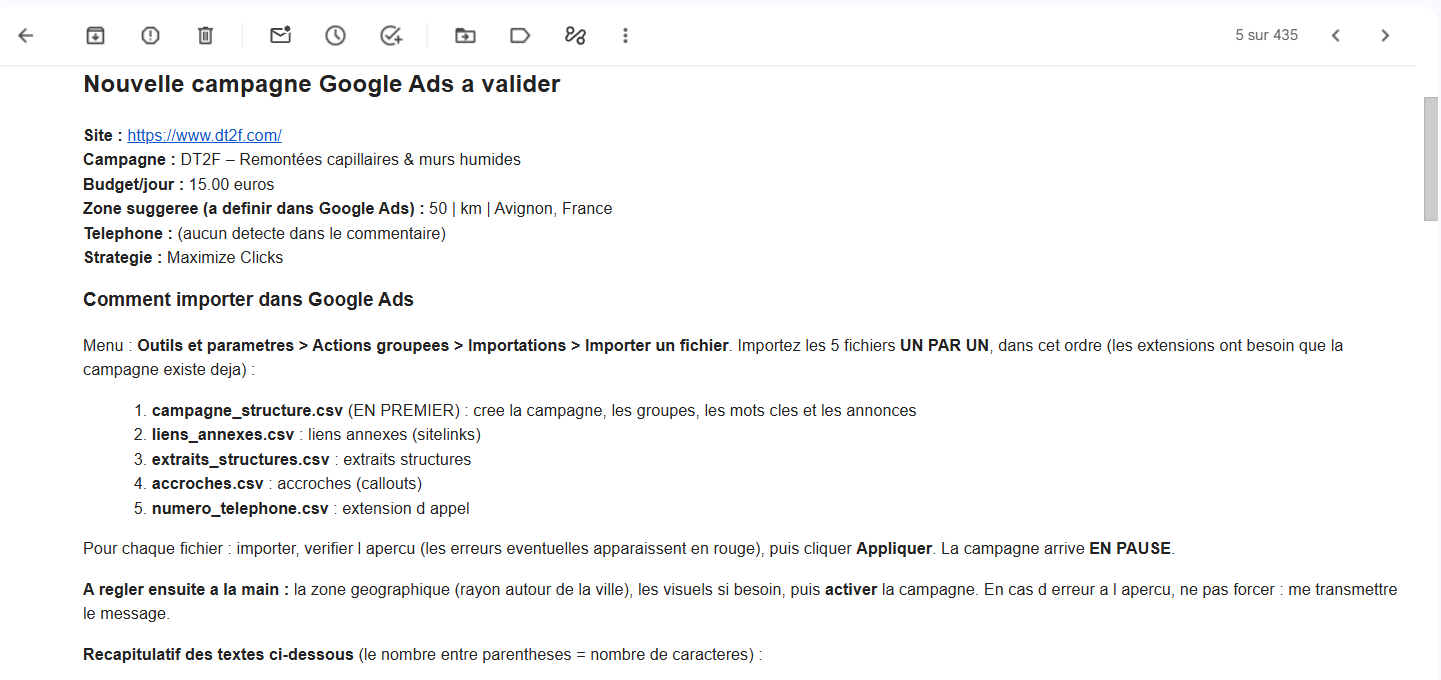
A ready-to-import file, emailed to the media buyer for a one-click bulk import.
How it works
What we built
- 1
A product/service brief comes in from a form or Google Sheet; an LLM expands it into structured keyword themes and matching ad groups.
- 2
For each ad group, Claude writes a full Responsive Search Ad — 15 headlines and 4 descriptions — tuned to the offer and audience.
- 3
Every asset is validated against Google's exact character limits before export, so nothing gets rejected at import.
- 4
The workflow assembles a Google Ads Editor-ready CSV and emails it to the media buyer for a one-click bulk import, then logs the run.
Highlights
- A full Search campaign drafted from a one-line brief in minutes, not hours.
- Character-limit validation baked in — imports never bounce.
- Delivered as a Google Ads Editor CSV: import, review, launch.
Tools used
Want the same system for your business?
In 30 minutes, we'll look at whether and how it fits your business.
Next case study
Autonomous TikTok Video Publisher